
Use case
Free shipping margin, recovered by weight
Advertise free shipping online without eating the freight on heavy items. PriceMux runs weight-based pricing rules that include shipping in the online price for each product, then automatically remove it again at the register so in-store customers don't pay for shipping they aren't getting.
The free-shipping math problem
"Free shipping" is one of the strongest conversion levers in retail — and one of the easiest ways to lose margin if you ship physical goods of varying weight. A flat shipping surcharge buried in every product price overcharges light items and undercharges heavy ones. A single "free shipping" banner pays for the heavy products out of the light ones.
Shopify's built-in tools don't solve this directly. Shipping rates only apply at checkout, so they don't change the product price a shopper sees while browsing. Shopify Markets price lists split prices by country, not by product weight, and can't remove the shipping again at the register. And building one flat shipping number into your storefront prices leaves your in-store customers paying for shipping they never use.
PriceMux solves this with pricing by weight: rules that set the online price tier by tier, and an in-store discount that removes the included shipping at the register.
How it works
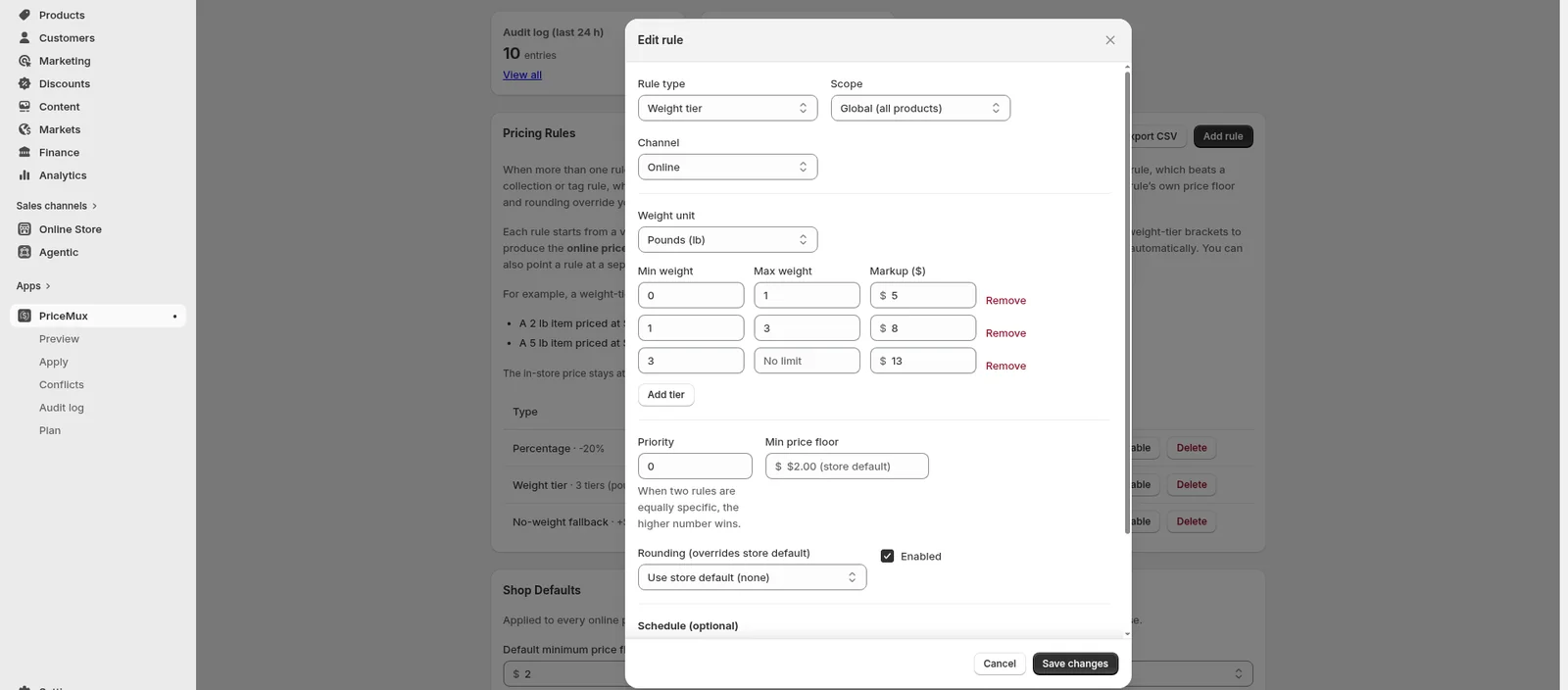
Take a 25 lb bag of dog food that costs $45 in your store and about $10 to ship. A weight rule adds that $10 to the online price, so it lists at $55 with free shipping — and the register still charges $45. A light 1 lb item with a smaller shipping cost gets a smaller markup, so nothing is over- or under-charged.
-
1. Set a weight-tier rule
Define tiers like "0–1 lb: +$4.50, 1–5 lb: +$8, 5–20 lb: +$14, 20 lb+: +$22." Every product's online price is set from its weight automatically — no per-product spreadsheet to keep up. Tiers can be a fixed dollar amount or a percentage.
-
2. PriceMux sets the online price
PriceMux changes the price on your existing product — no duplicate copies, no theme-code edits, no draft orders. Your base price stays as the number you started from; PriceMux only sets the online price on top of it.
-
3. The register removes the shipping
When you ring that product up in store, PriceMux removes the included shipping automatically. Walk-in customers pay your real product price; online customers pay the shipping-included price.
Requires Shopify POS Pro — a paid Shopify add-on, billed per location (see Shopify's POS pricing), not the free POS Lite. On POS Lite the in-store discount can't run, so the register would charge the online price.
-
4. Audit log + 1-click rollback
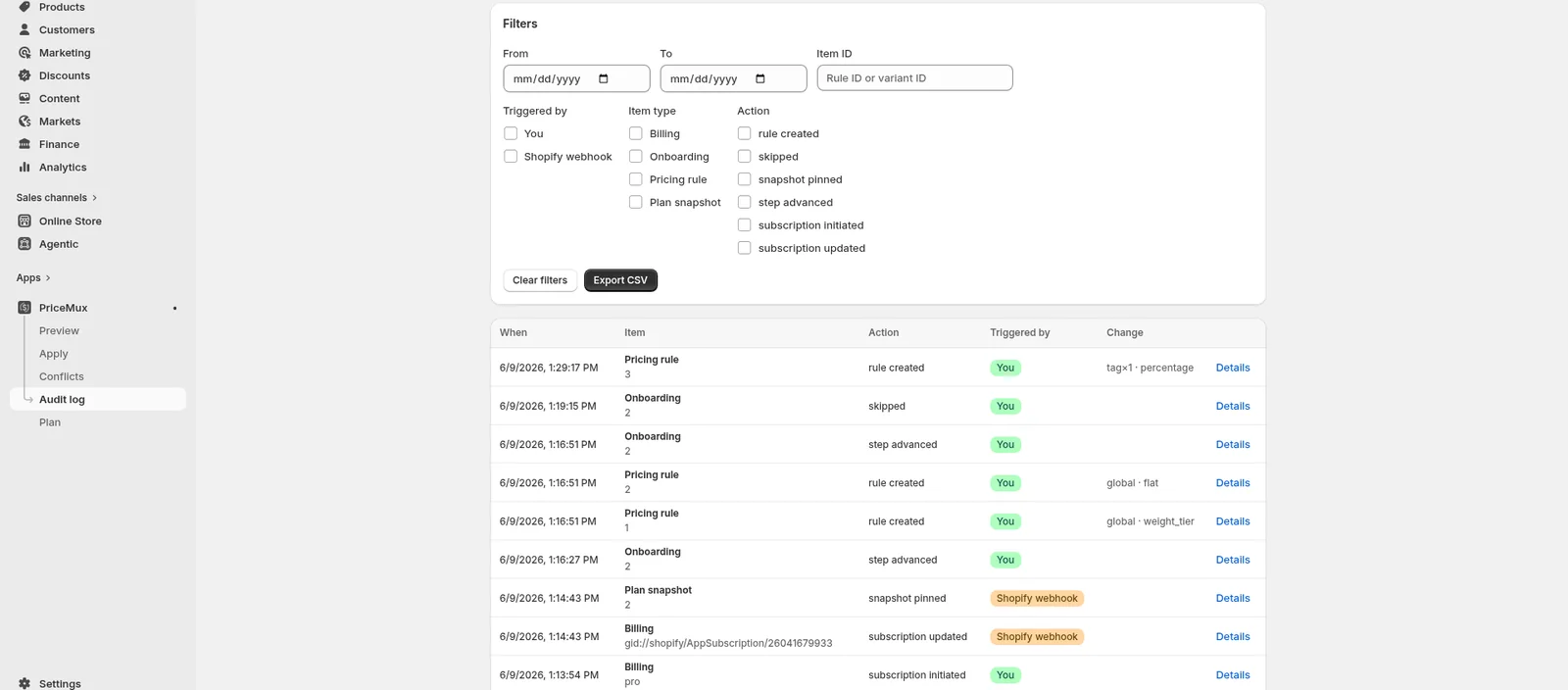
Every price change is recorded — the rule, the time, the old price, and the new one. If a tier is wrong, undo the affected products in one click. No "it stopped working and I don't know why."
Why this beats the alternatives
vs. shipping-rate apps
Apps like Advanced Shipping Rules and Intuitive Shipping show conditional shipping rates at checkout. That feature is gated above the Basic plan and adds a monthly charge. PriceMux puts the shipping cost into the product price itself, so Basic-plan stores get the same result without the extra paywall.
vs. flat-fee or hand-edited prices
Hand-editing each product works until your first big change. A flat shipping surcharge across everything over-charges light items and costs you sales. PriceMux adds the right amount per product by weight, and updates automatically when you change a base price, add a product, or adjust a tier.
vs. duplicate-product pricing apps
Some pricing apps create a duplicate copy of a product for each customer tier or channel. That breaks Google Shopping feeds, inventory apps, and store filters. PriceMux changes the price on your existing product — your catalog stays clean.
vs. apps that edit your theme code
PriceMux never edits your theme code. If you uninstall, nothing is left behind — your store keeps working exactly as before.
Fits these merchants
- Heavy-goods retailers — feed, garden, building materials, beverages, pet supply, sporting goods — anywhere shipping cost varies a lot from one product to the next.
- Omnichannel stores on Shopify Basic and up — no Shopify Plus, Markets, or B2B catalog needed to price by product and remove shipping at the register.
- Owners who advertise free shipping and want it to actually pay for itself.
- Stores running Shopify POS Pro — the in-store discount removes the included shipping at the register on its own, with no cashier work. (POS Lite isn't supported — the discount can't run there.)
Related use cases
Ready to recover shipping margin?
Install PriceMux on a test store, define your weight tiers, and preview the new online prices against your live catalog before applying anything. Roll back any change in one click.